#Read Markdown
beautifully
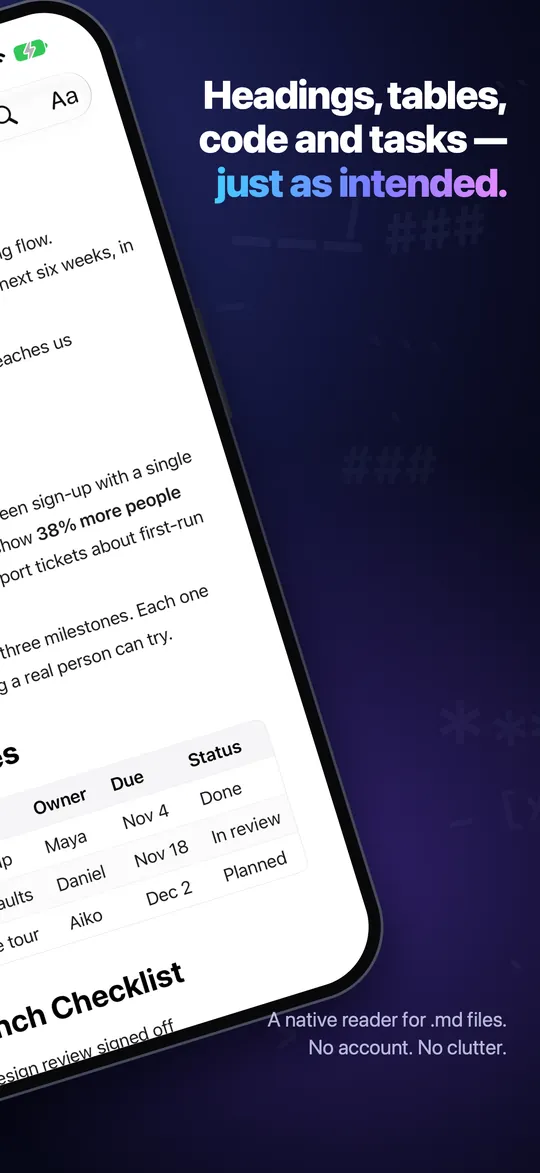
NexReader turns any .md file into a clean, comfortable page. Headings, tables, code and task lists, rendered natively — on iPhone, iPad and Mac.
Made for the files
you actually get
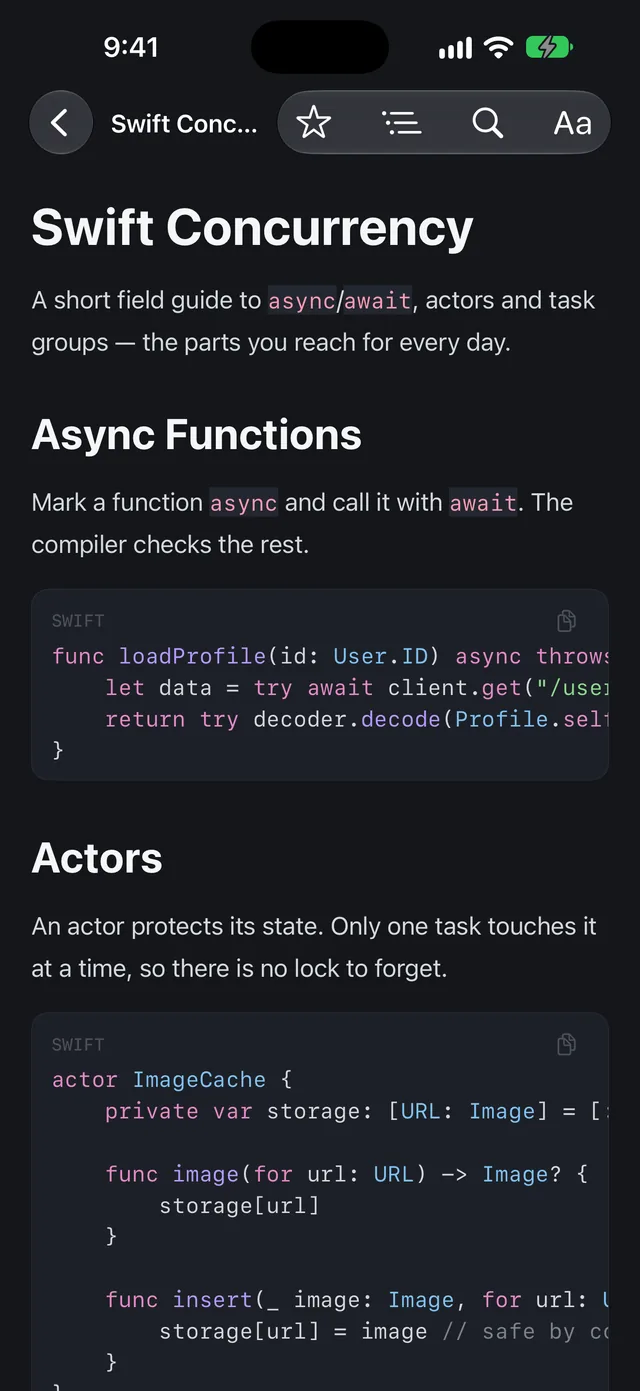
READMEs, specs, meeting notes, and the long answers AI tools write for you. NexReader draws every block itself — no web view, no clutter, nothing between you and the words.
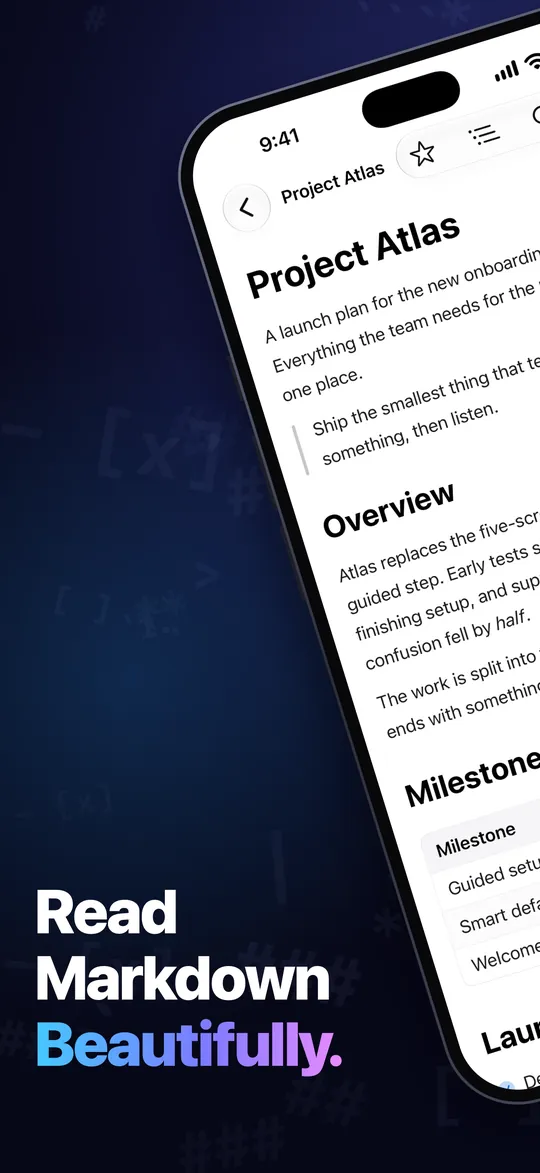
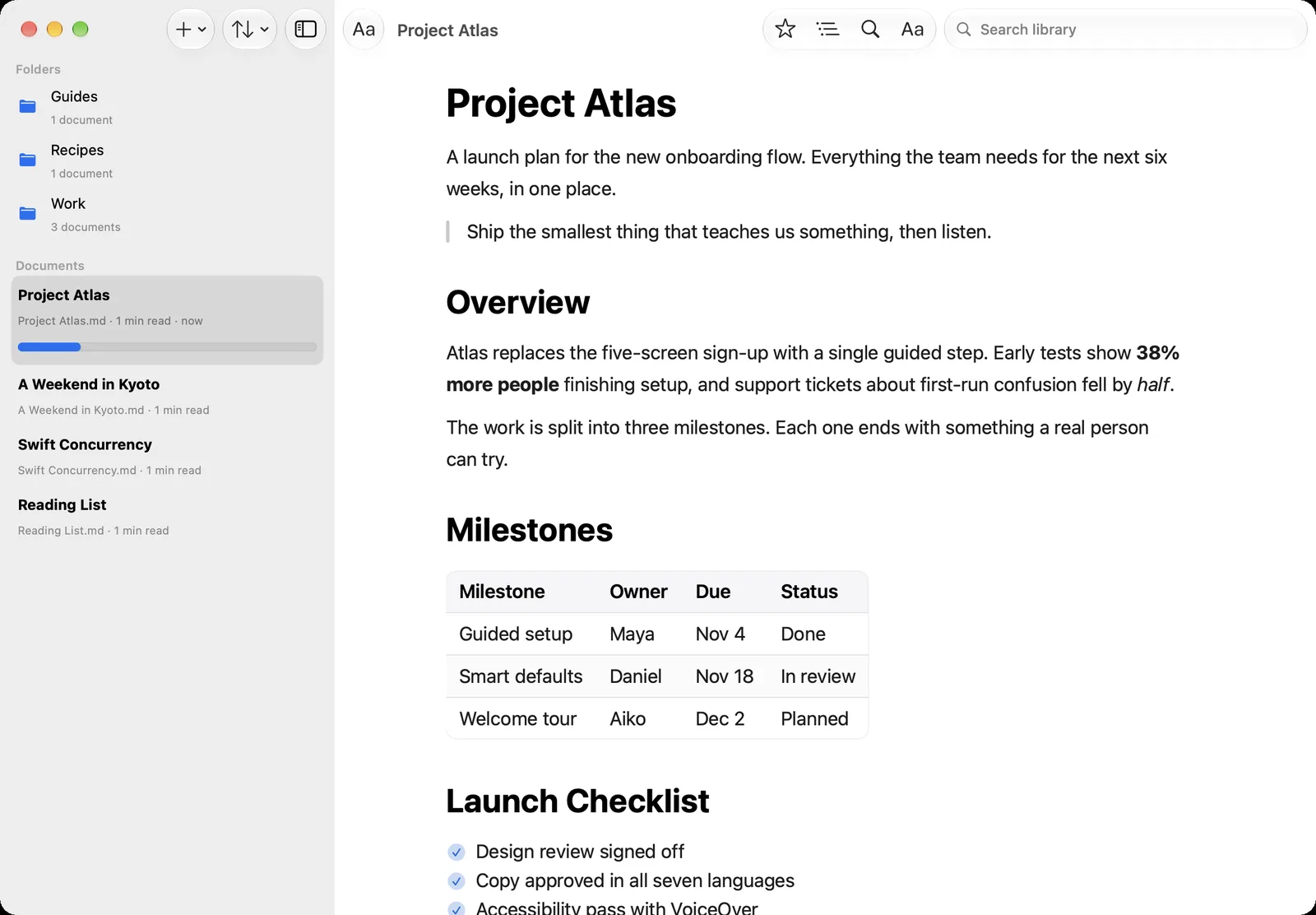
# Project Atlas

A launch plan for the new onboarding flow.

> Ship the smallest thing that teaches
> us something, then listen.

## Overview

Early tests show **38% more people**
finishing setup, and confusion fell by *half*.

## Milestones

| Milestone      | Owner  | Due    |
|:---------------|:-------|:-------|
| Guided setup   | Maya   | Nov 4  |
Every block, just as intended
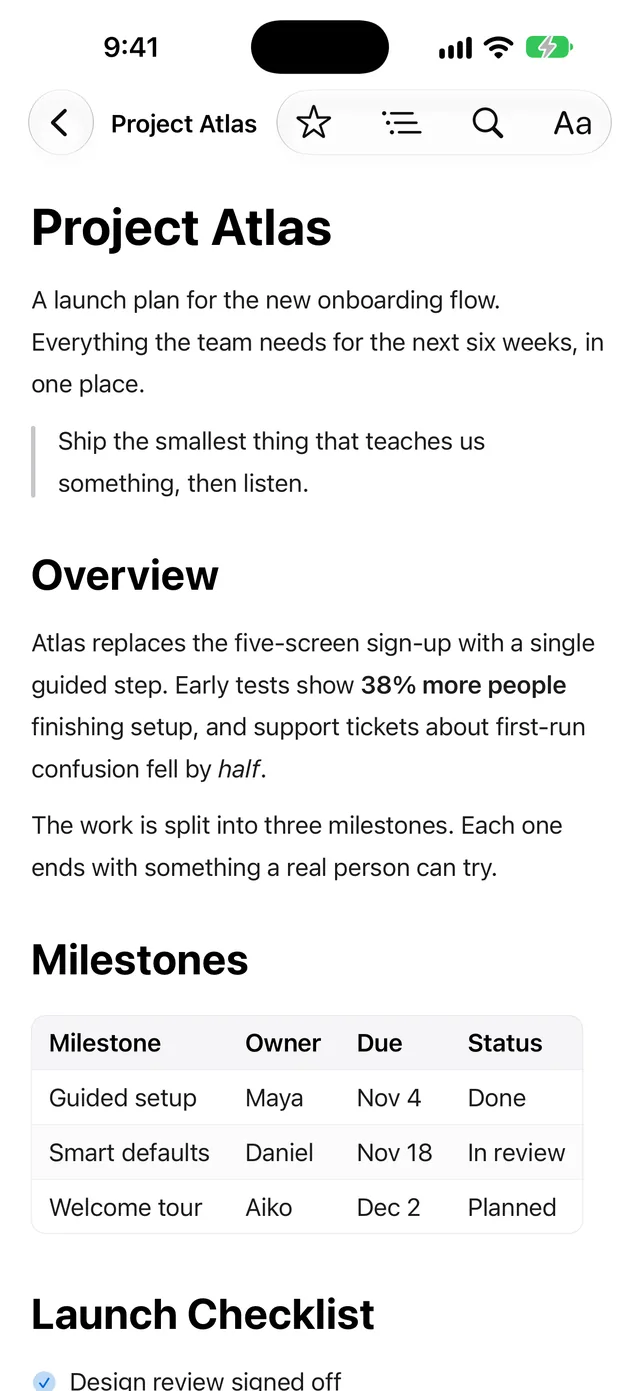
Full GitHub-Flavored Markdown, code that reads like code, and a page you can tune until it is exactly how you like to read.
Beautiful rendering
Headings, lists, task lists, quotes, links and tables that keep their alignment and scroll instead of squashing. Images open full screen.
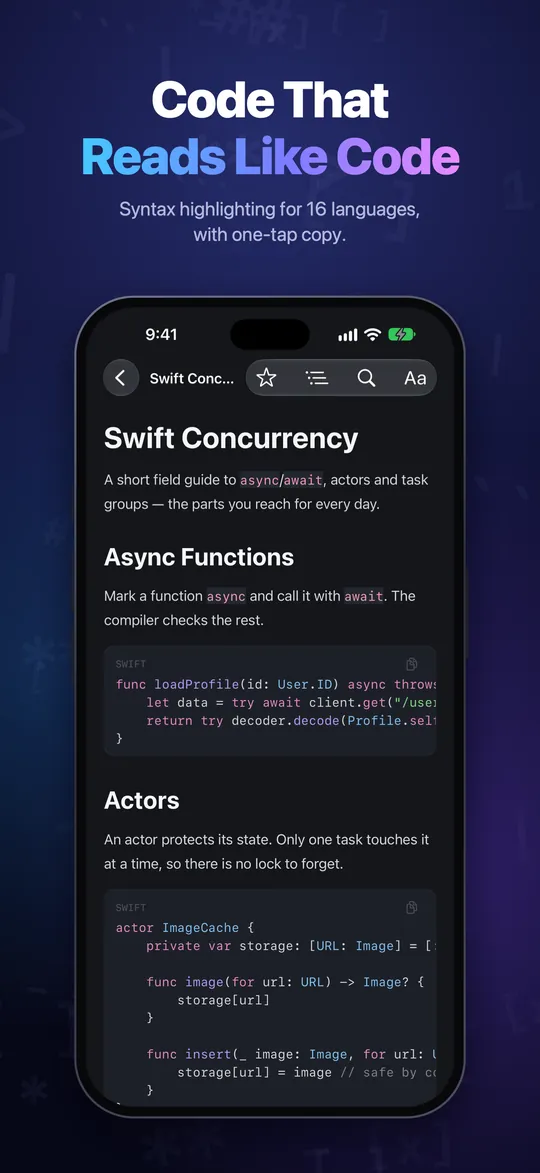
Code that reads like code
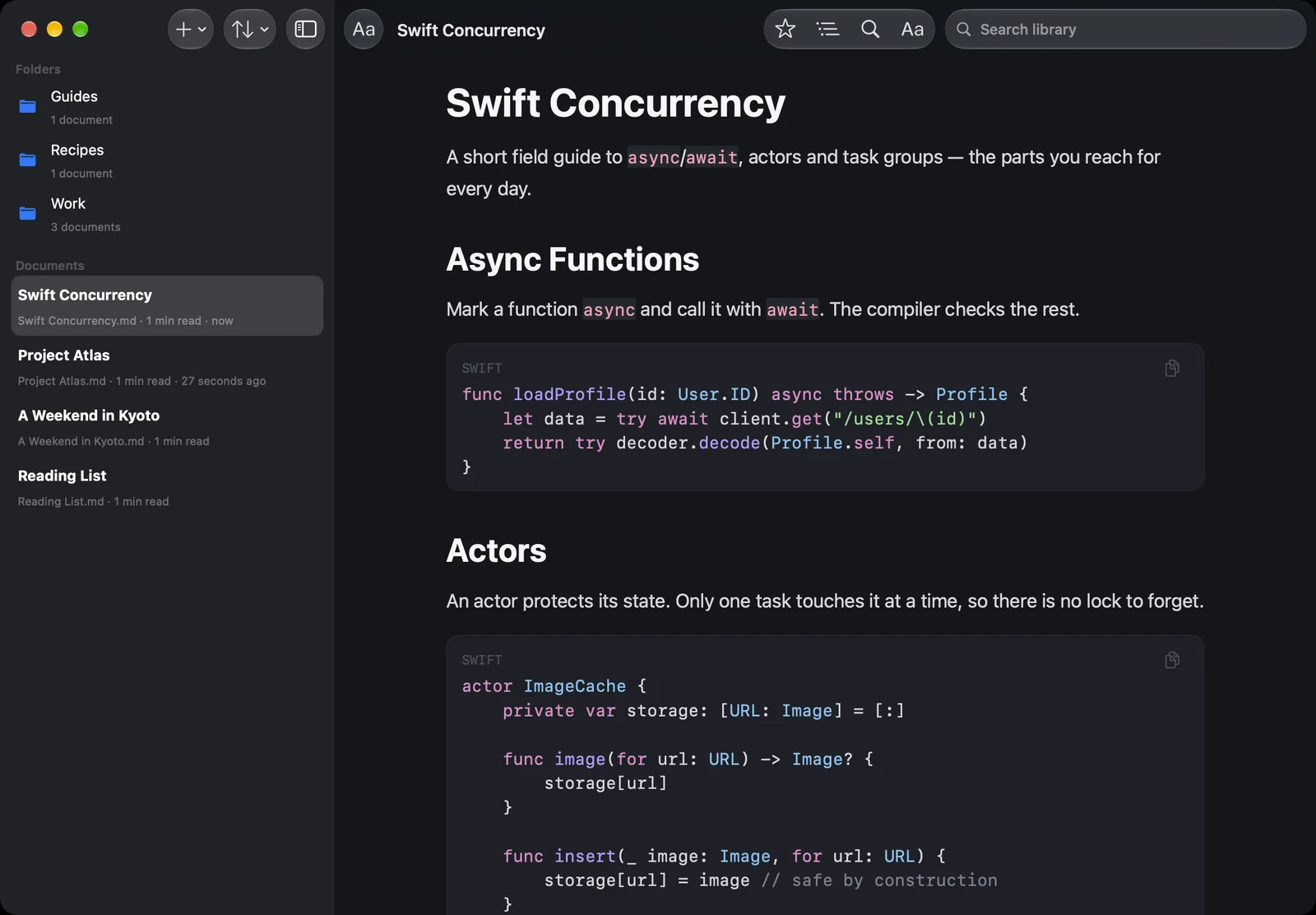
Syntax highlighting for 16 languages, from Swift and Python to SQL and shell, with a copy button on every block.
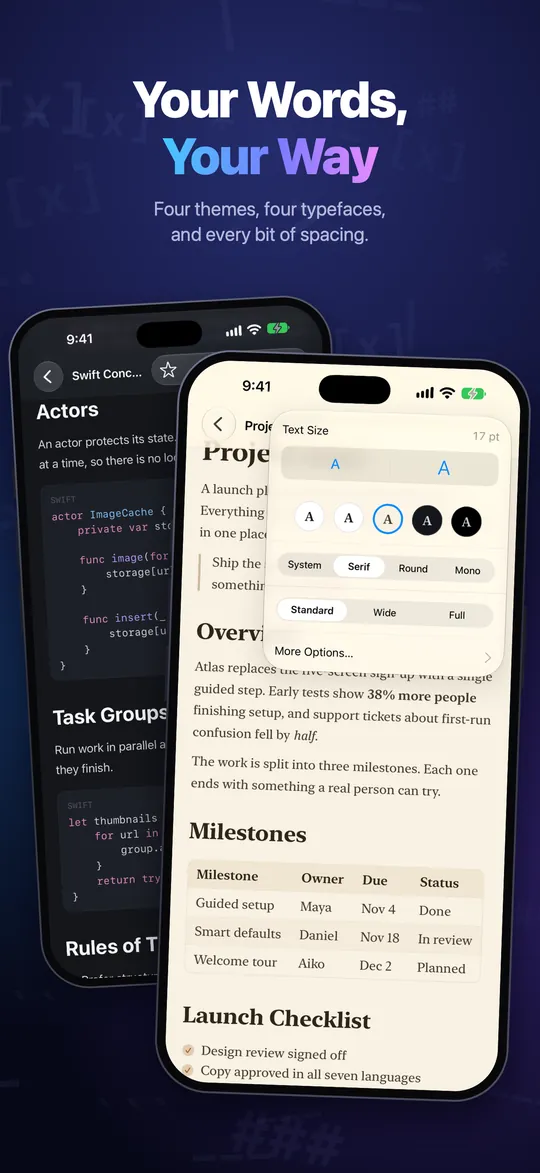
Make it yours
Classic, Sepia, Midnight or AMOLED. Four typefaces including New York, and control over size, weight, line height and width.
Find your way
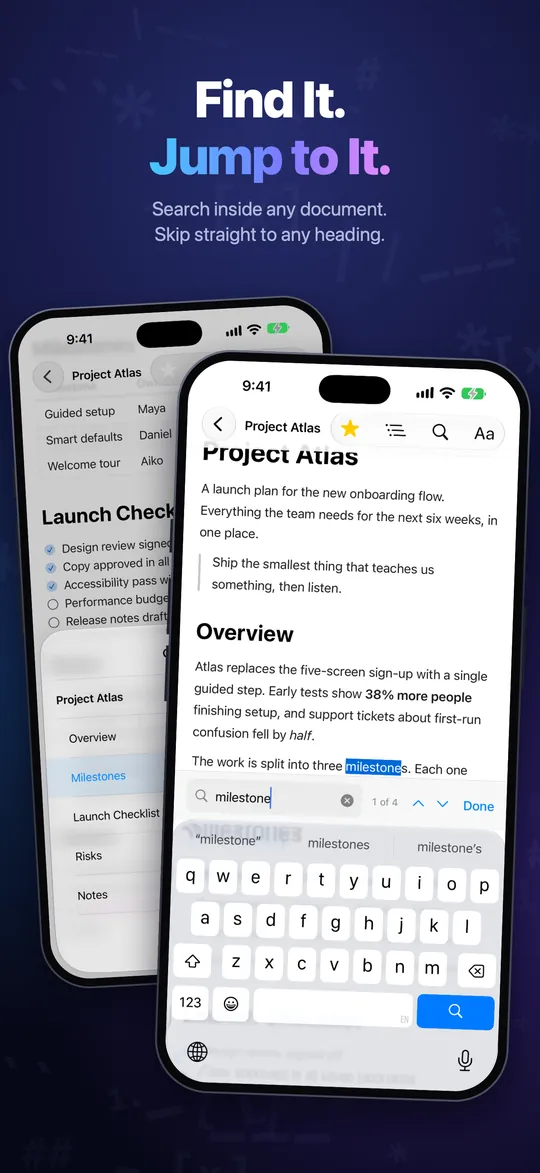
An outline of every heading with your place marked, find in document with every match lit up, and back to where you left off.
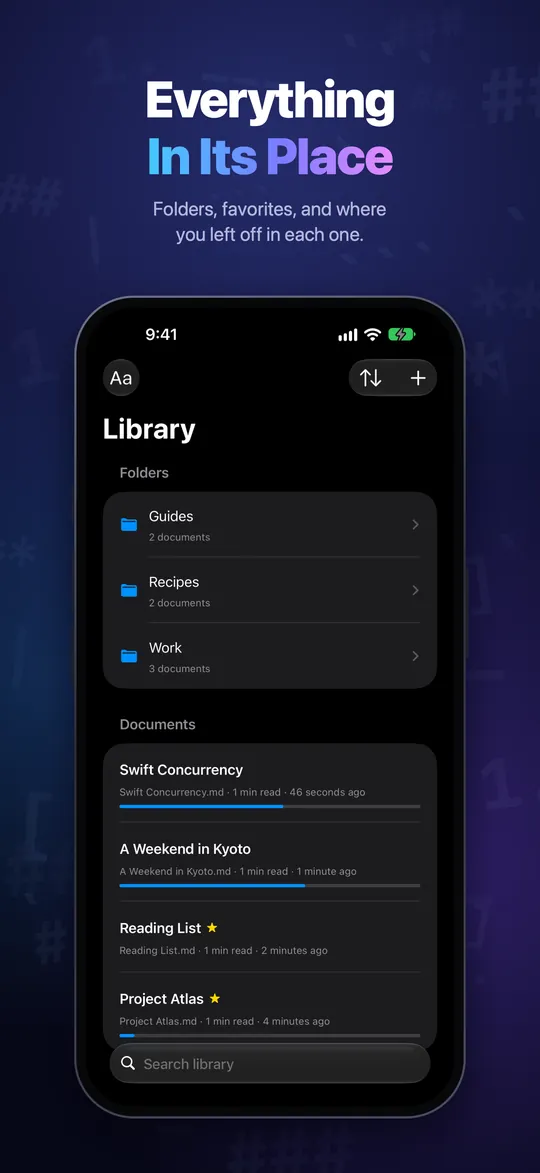
A tidy library
Real folders, favorites, sorting, search and reading progress — and the same folders in the Files app.
Wi‑Fi Transfer
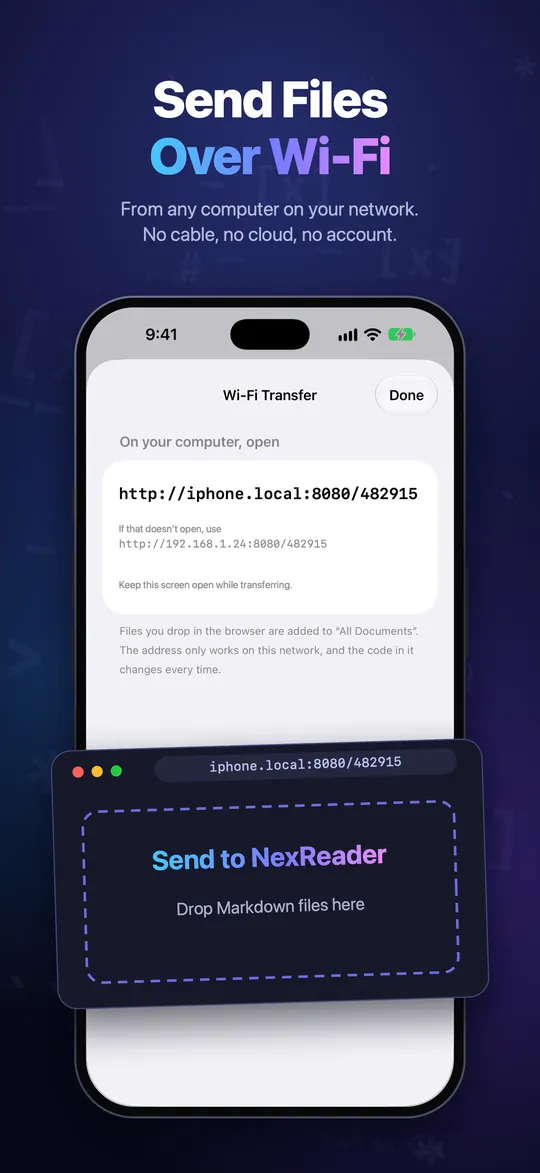
Drop files from any computer's browser straight onto your iPhone or iPad. No cable, no cloud, no account.
One reader, every screen
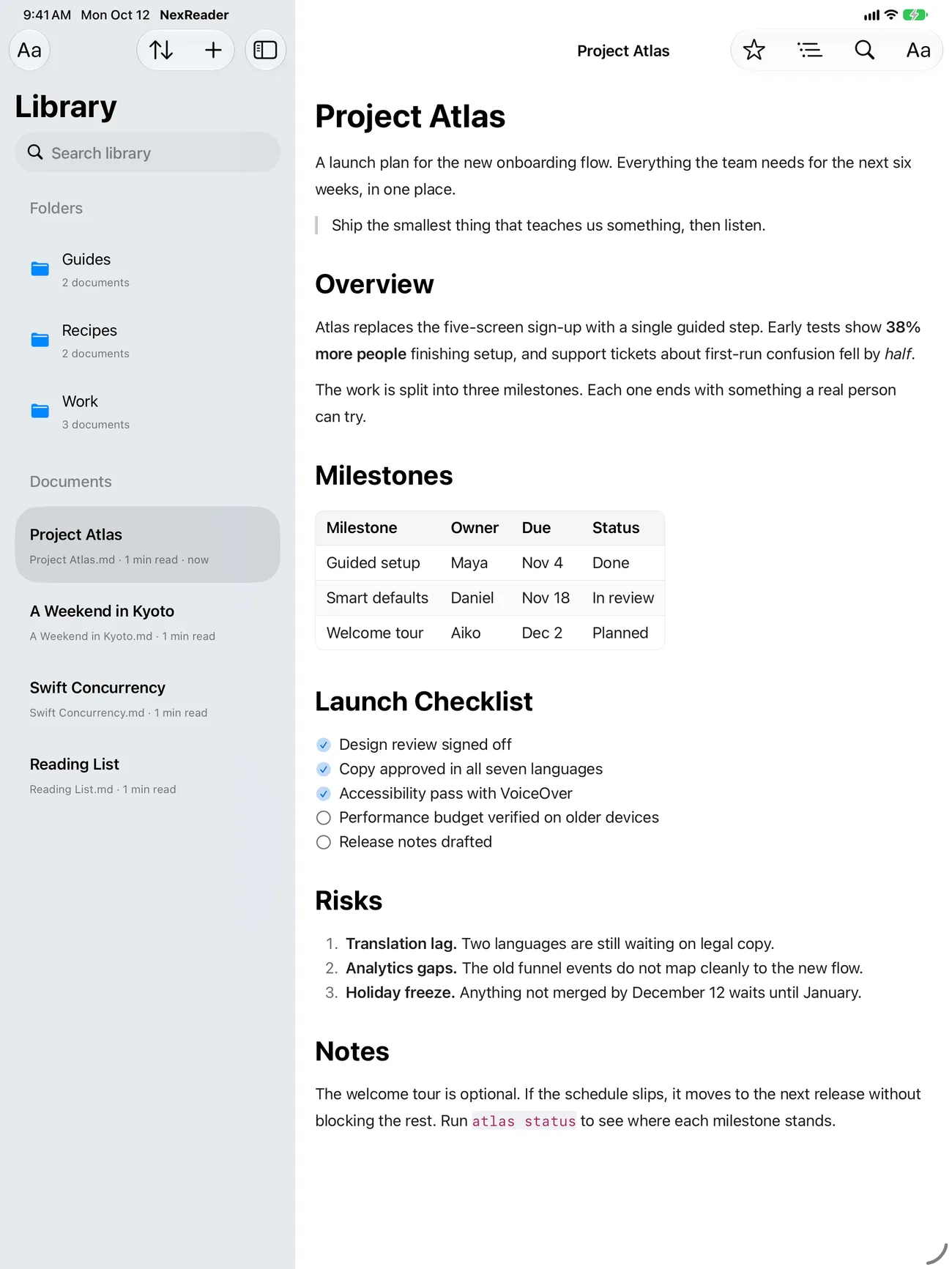
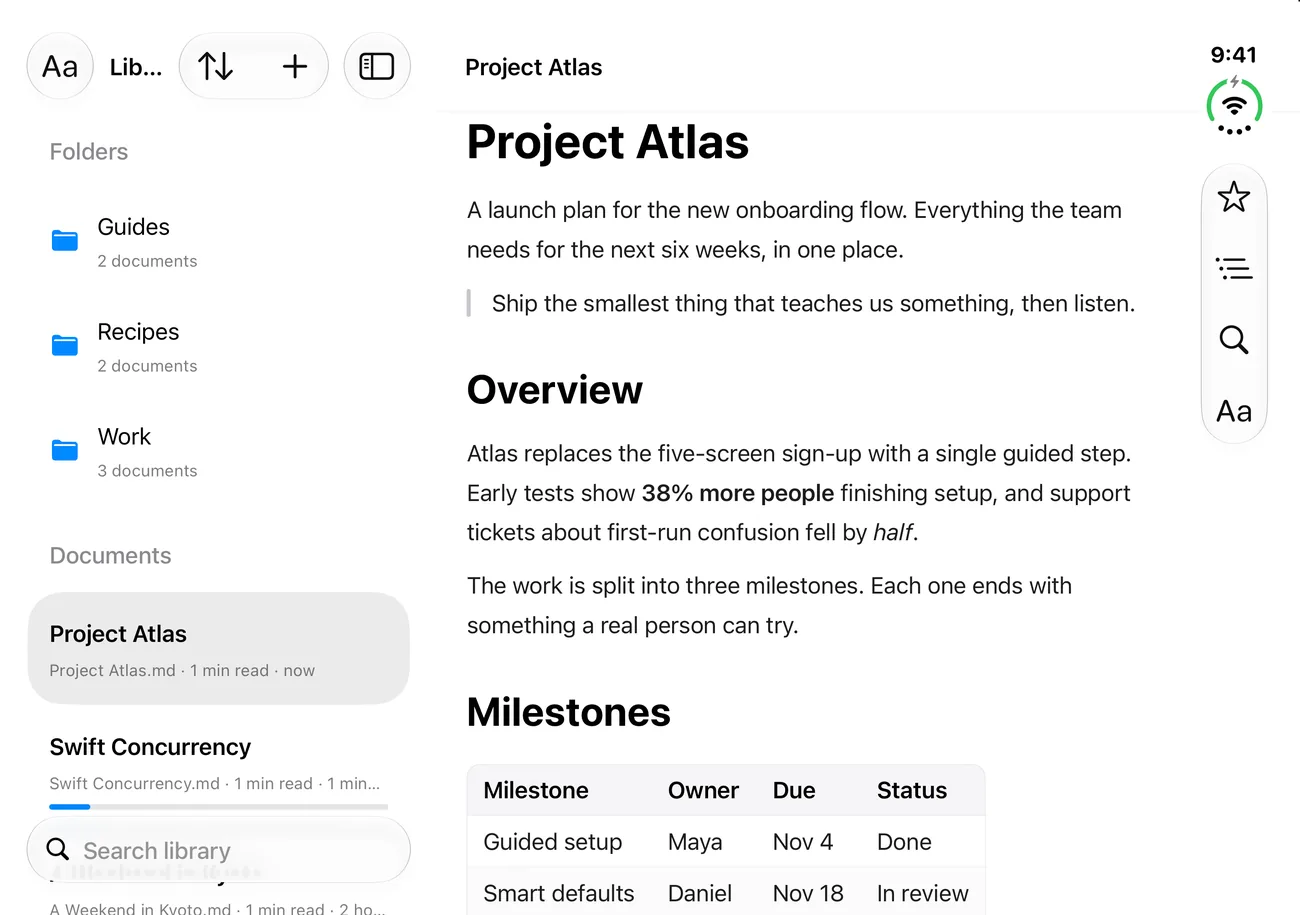
Your library beside the page on iPad and the open iPhone Duo, and a proper Mac app with its own windows and menu bar. One download covers them all — and it's free.
A real Mac app,
not a stretched phone
Double-click a .md file in Finder and it opens in its own window, the way Preview opens a PDF. The library is there too, for the documents you keep.
- Open from Finder — any Markdown file, in its own window, without importing it
- Drag in to keep — drop files on the library window to add them
- A full menu bar — text size, width and theme, with keyboard shortcuts
- Reveal in Finder — your library is a real folder you can see
No account
Nothing to sign up for. Open the app and read.
No analytics, ads or tracking
The app doesn't watch what you read, and your files never leave your device.
Transfers stay at home
Wi‑Fi Transfer runs only while its screen is open, and only on your own network.
Questions
Is NexReader free?
Yes. There are no ads, no subscription and no in-app purchases.
How do I get files into NexReader?
Tap + and choose Import Files… to pick from the Files app, or open a .md file from another app with Share or “Open in”. On iPhone and iPad you can also use Receive over Wi‑Fi: open the address it shows in a browser on a computer on the same network and drop files onto the page. On a Mac, drag files onto the window.
Where are my documents stored?
On your device, in the app's own folder. On iPhone and iPad they also appear in the Files app, under On My iPhone (or iPad), in the same folders you see in the app, and a Markdown file you add there shows up in the library. On a Mac, choose “Reveal Library in Finder”.
Wi‑Fi Transfer says the page can't be reached.
Make sure the computer and your iPhone or iPad are on the same Wi‑Fi network, and keep the transfer screen open while sending. If you declined the Local Network permission, find NexReader in Settings › Apps and turn Local Network on. Some guest and office networks block devices from reaching each other; a home network or a personal hotspot usually works.
How do I change the theme or text size?
While reading, tap the Aa button for text size, theme and typeface. For everything else — weight, line height, spacing, width and alignment — open Reading Settings.
Which Markdown does it support?
GitHub-Flavored Markdown: headings, emphasis, lists and task lists, quotes, tables with alignment, fenced code with highlighting for 16 languages, images and links. Footnotes currently appear as plain text.
Does it work offline?
Yes. Everything works without a connection, except images that a document loads from the web.
Does NexReader collect data?
No. There are no analytics, no ads and no account, and your documents never leave your device. Details are in the privacy policy.
Need help? Email [email protected]. Found a bug, a document that renders wrongly, or have an idea? If a file looks wrong, attaching it (or a small part of it) makes it much quicker to fix.